Back to the table

TicketSocket Platinum

Ticketing flows for a white-label platform, from picking a seat or a time slot to passing a ticket to a friend.

Client
TicketSocket, through Halo Media
Role
Product Designer, on a team led by Valentina García Aiello
Years
2023–2025
With
A delivery lead, the developers, and Valentina as design lead
Scope
Storefront flows (seated, recurring, timed, season tickets, add-ons, Apple Wallet) and the customer account (transfers, refunds, upsells, personal information), buyer and admin side
2023–25
13 flows
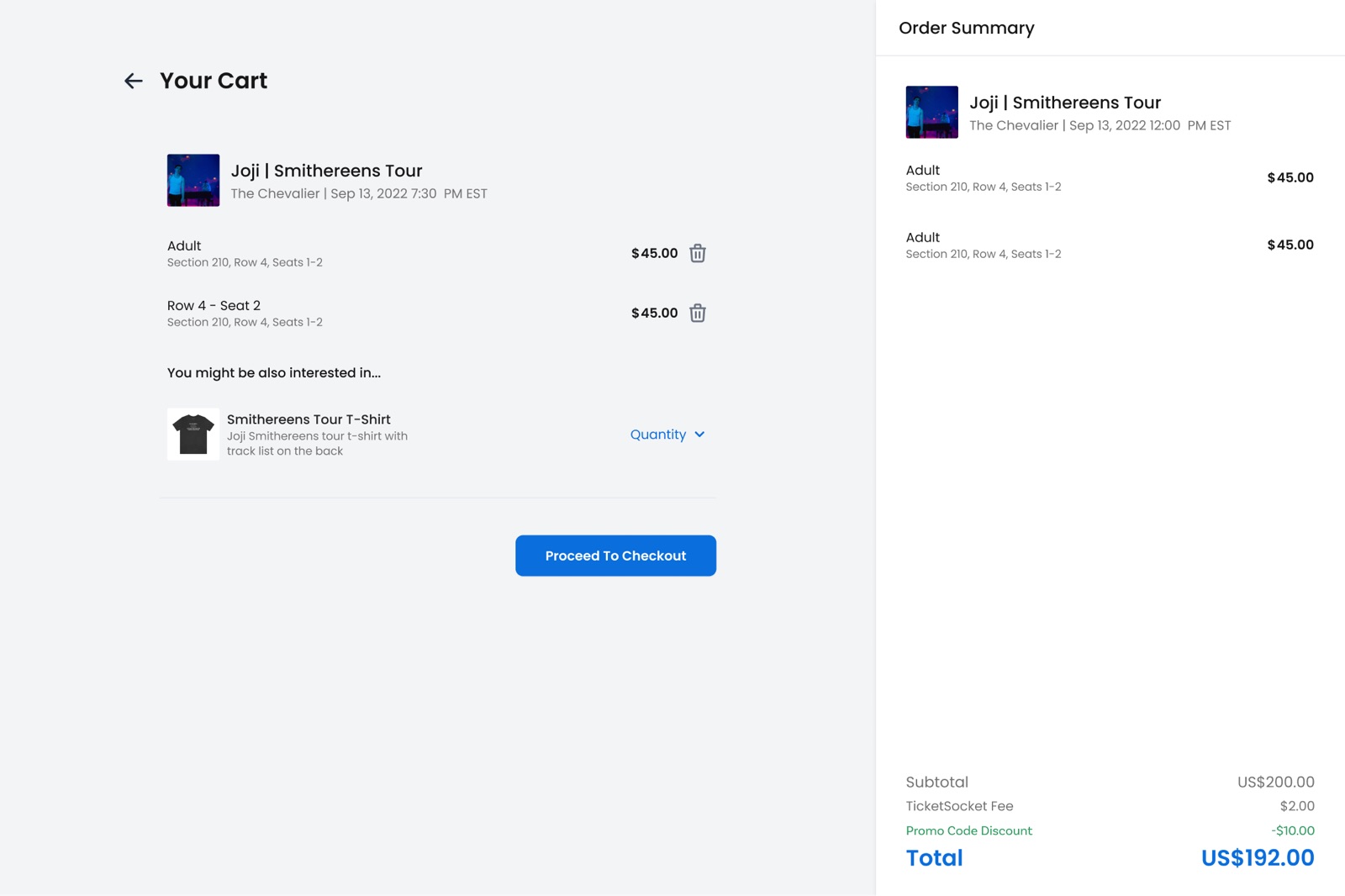
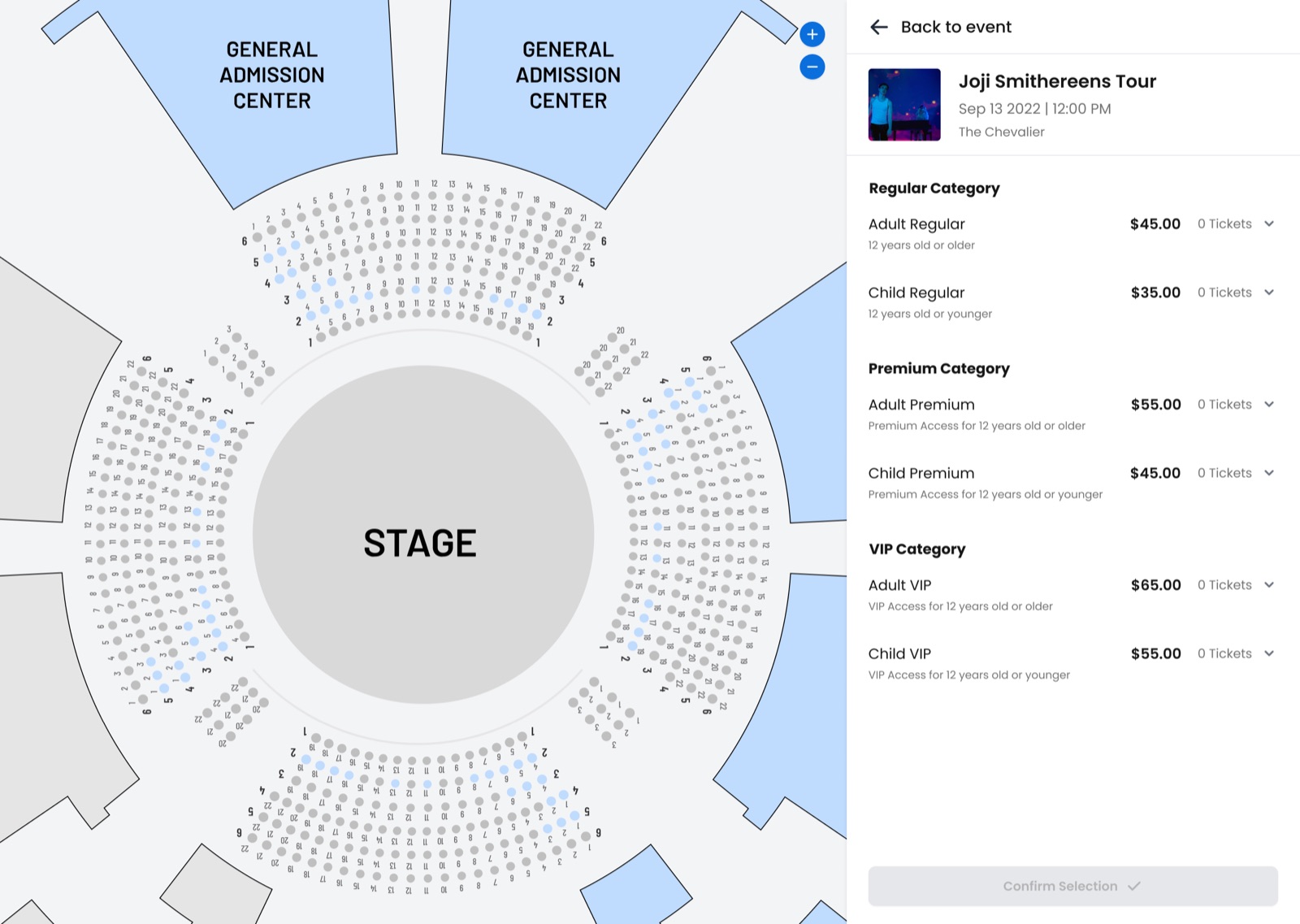
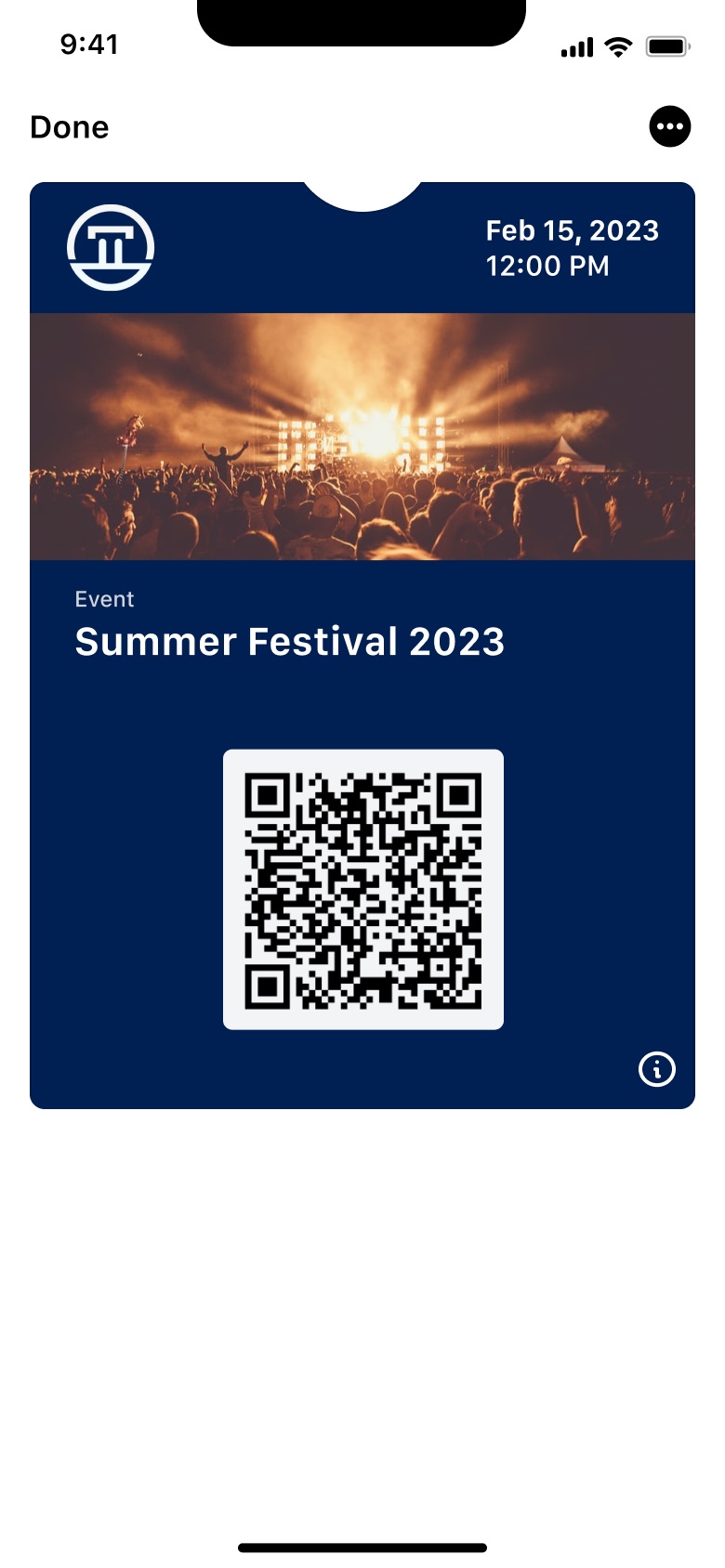
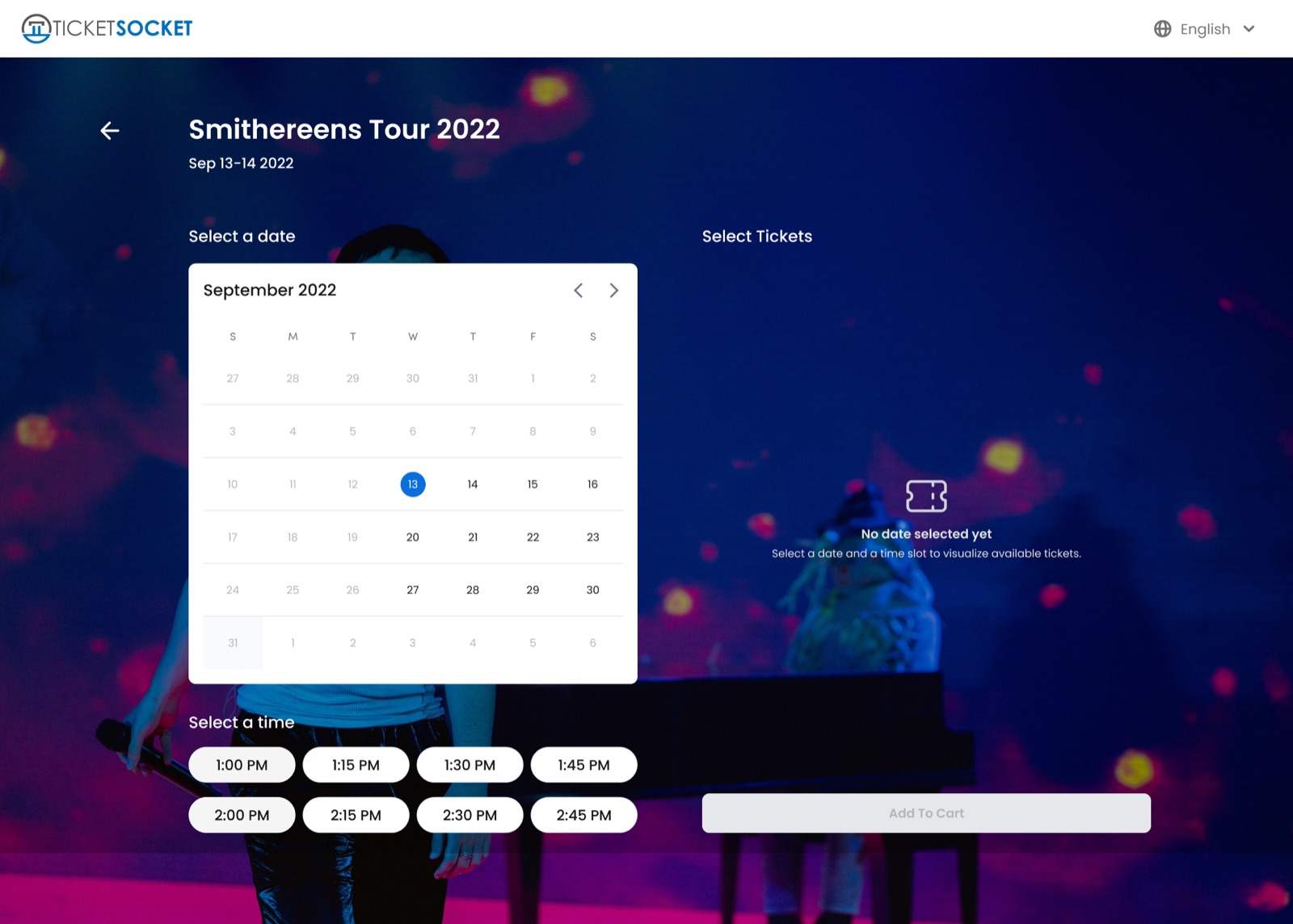
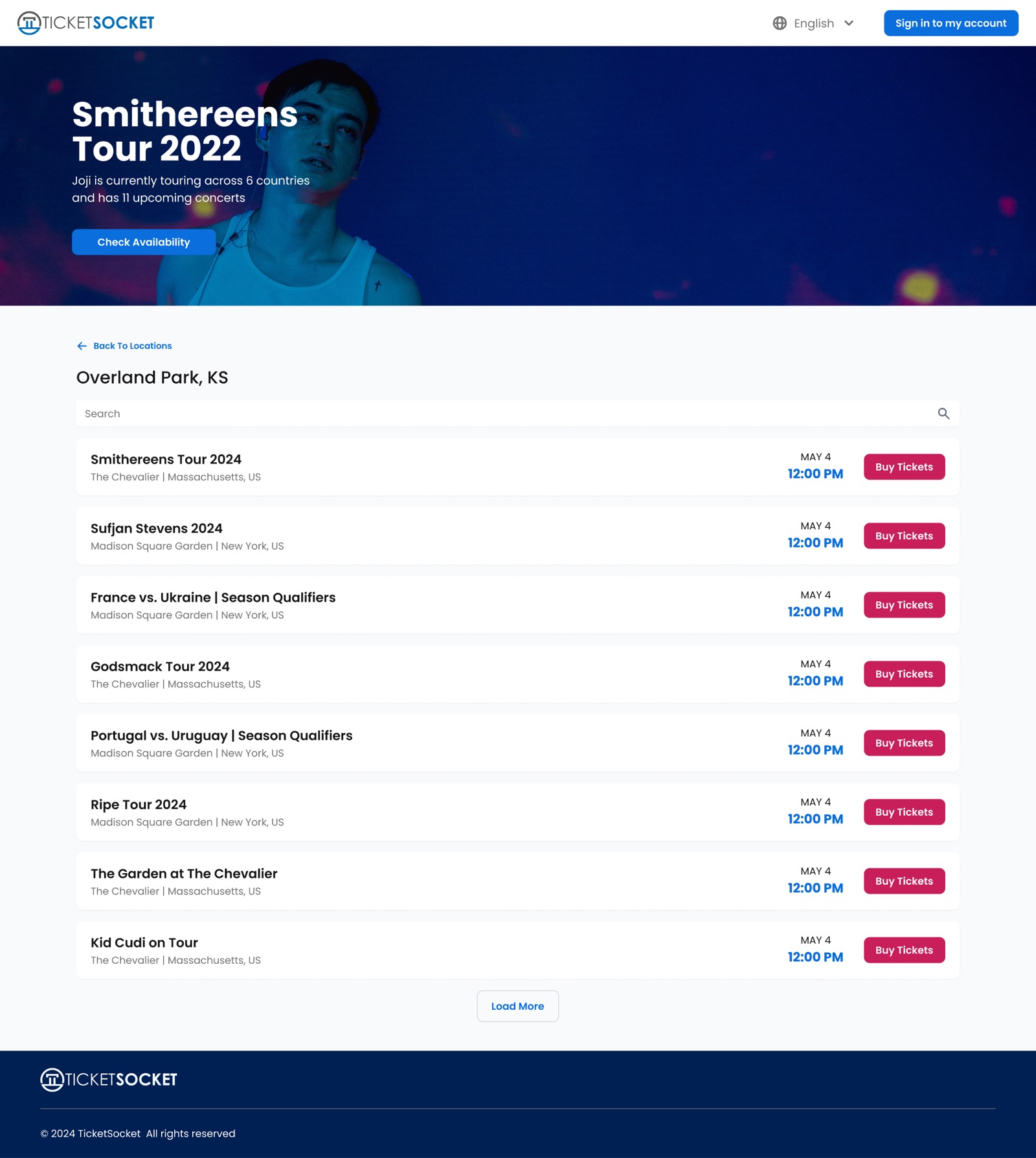
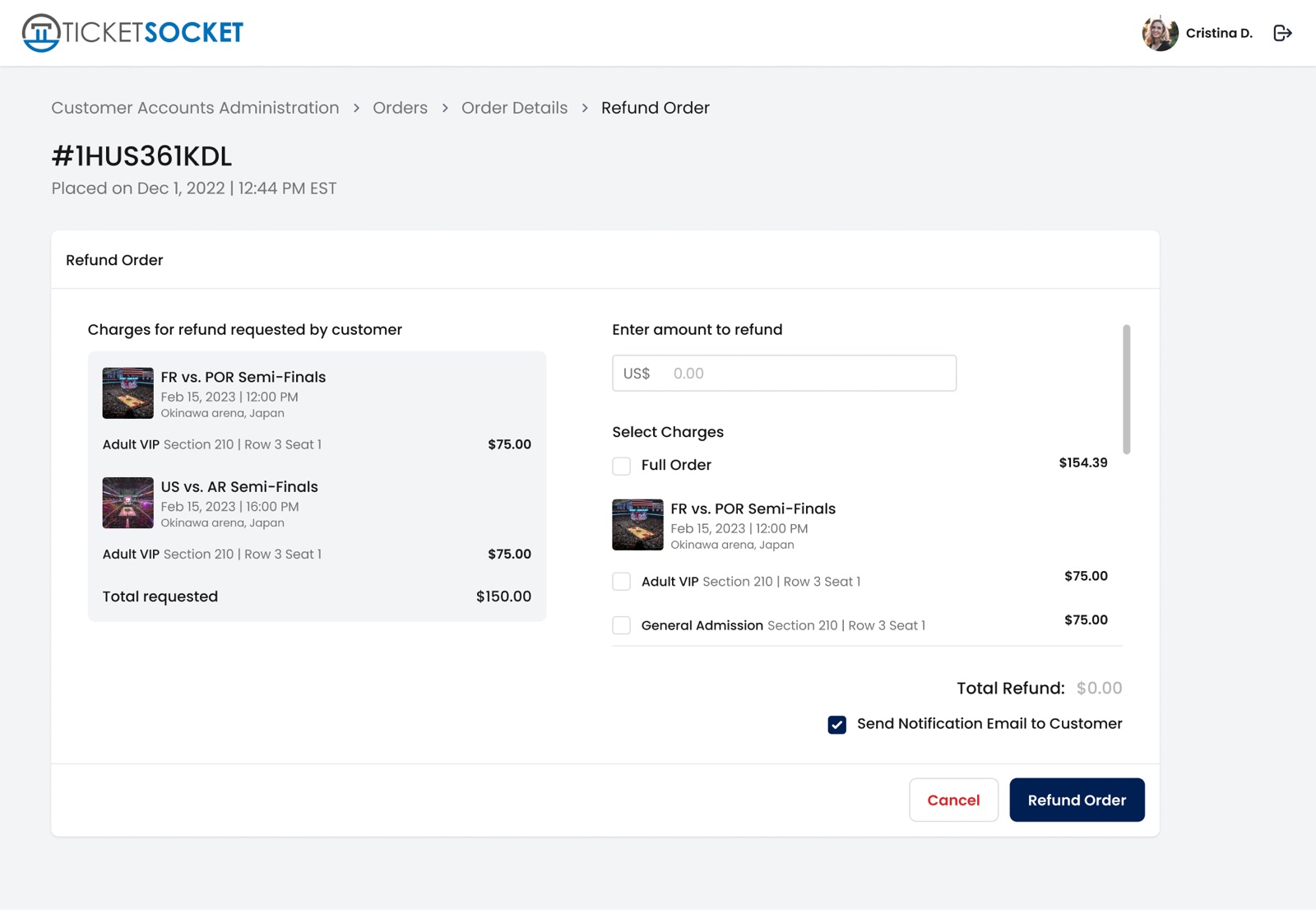
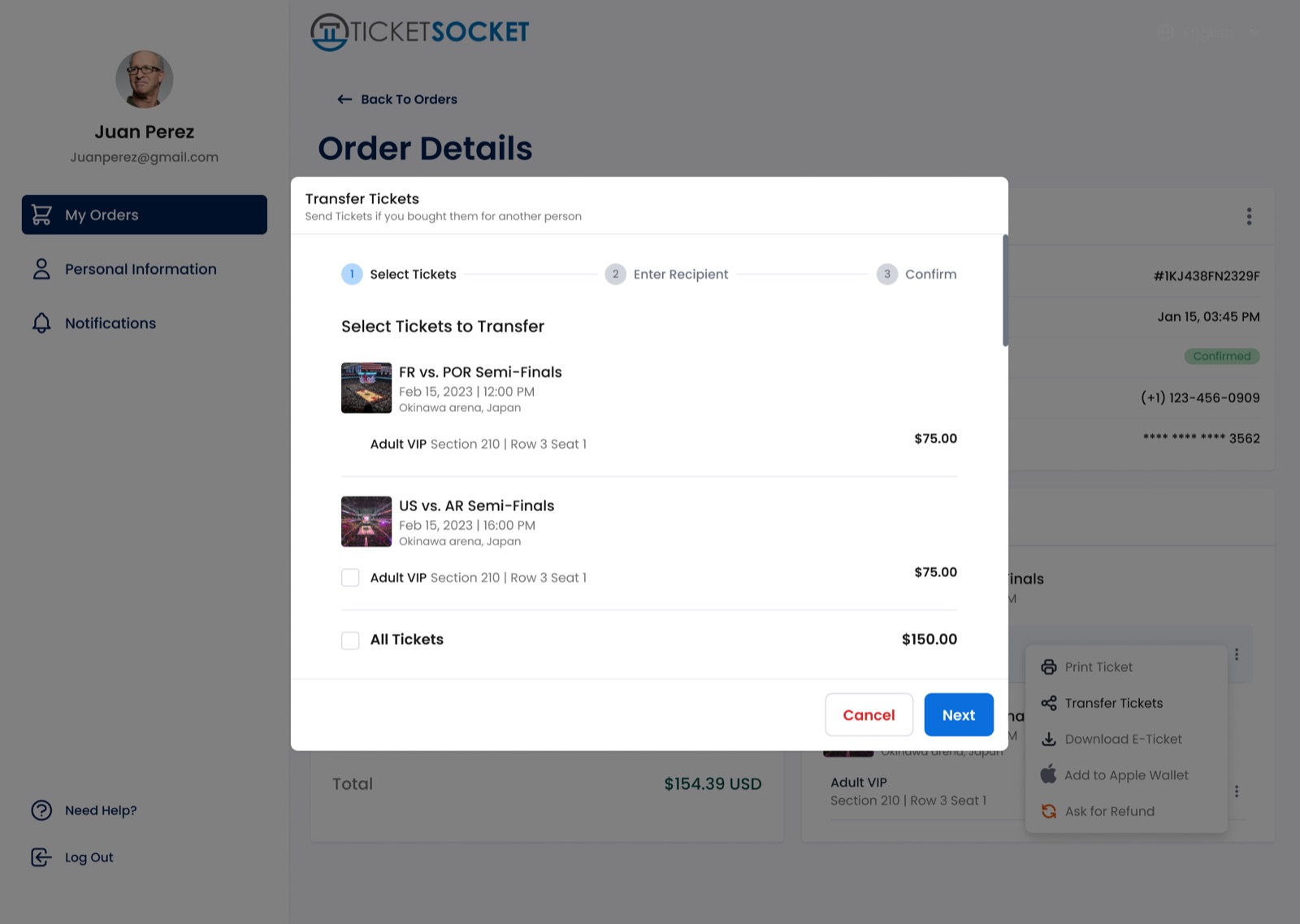
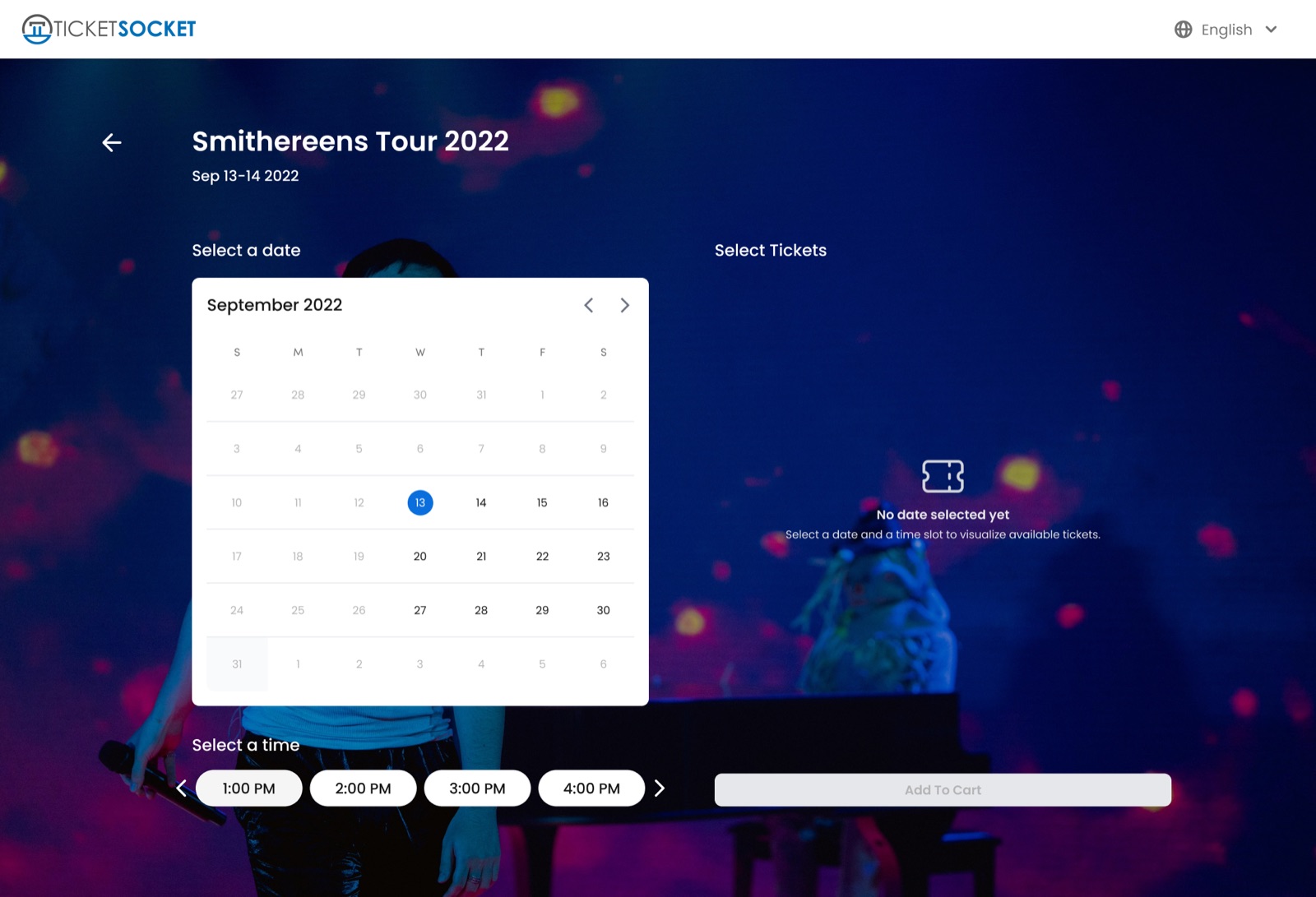
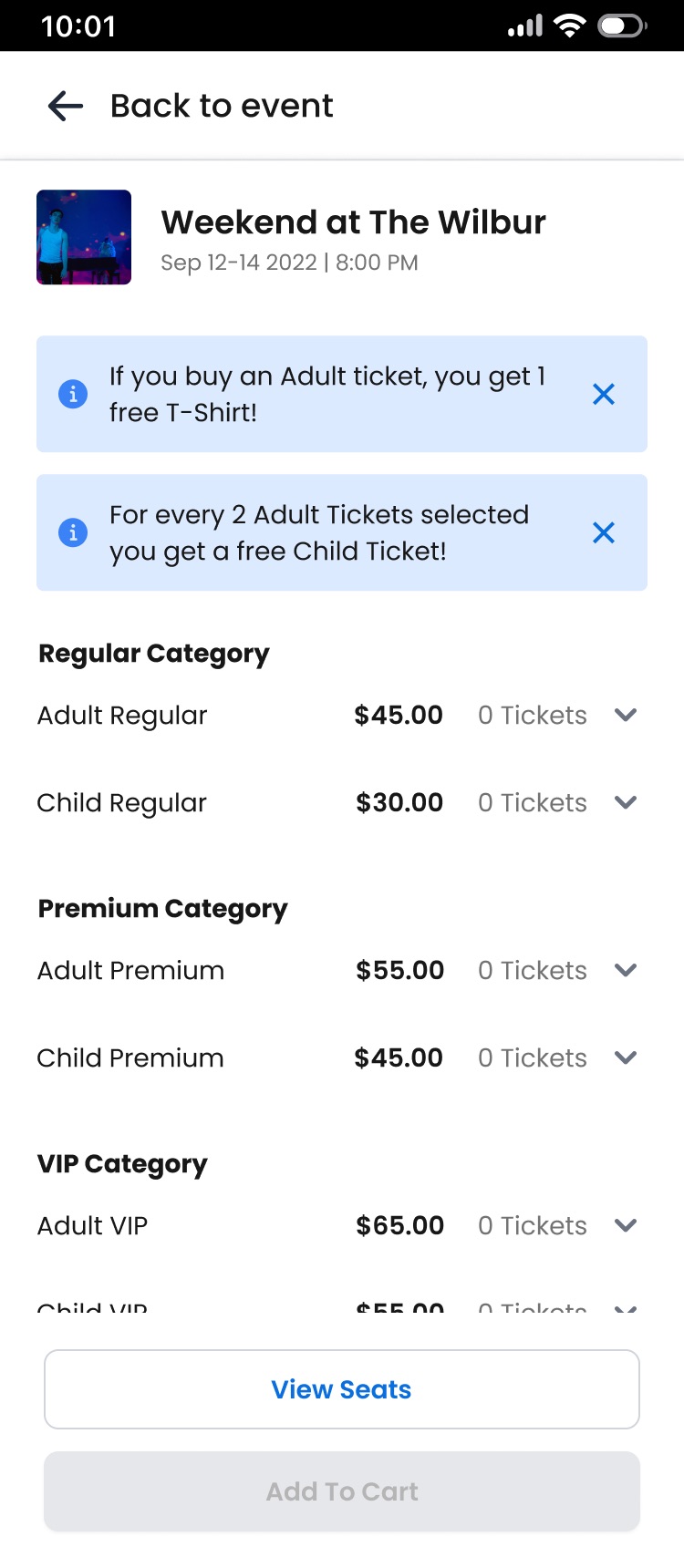
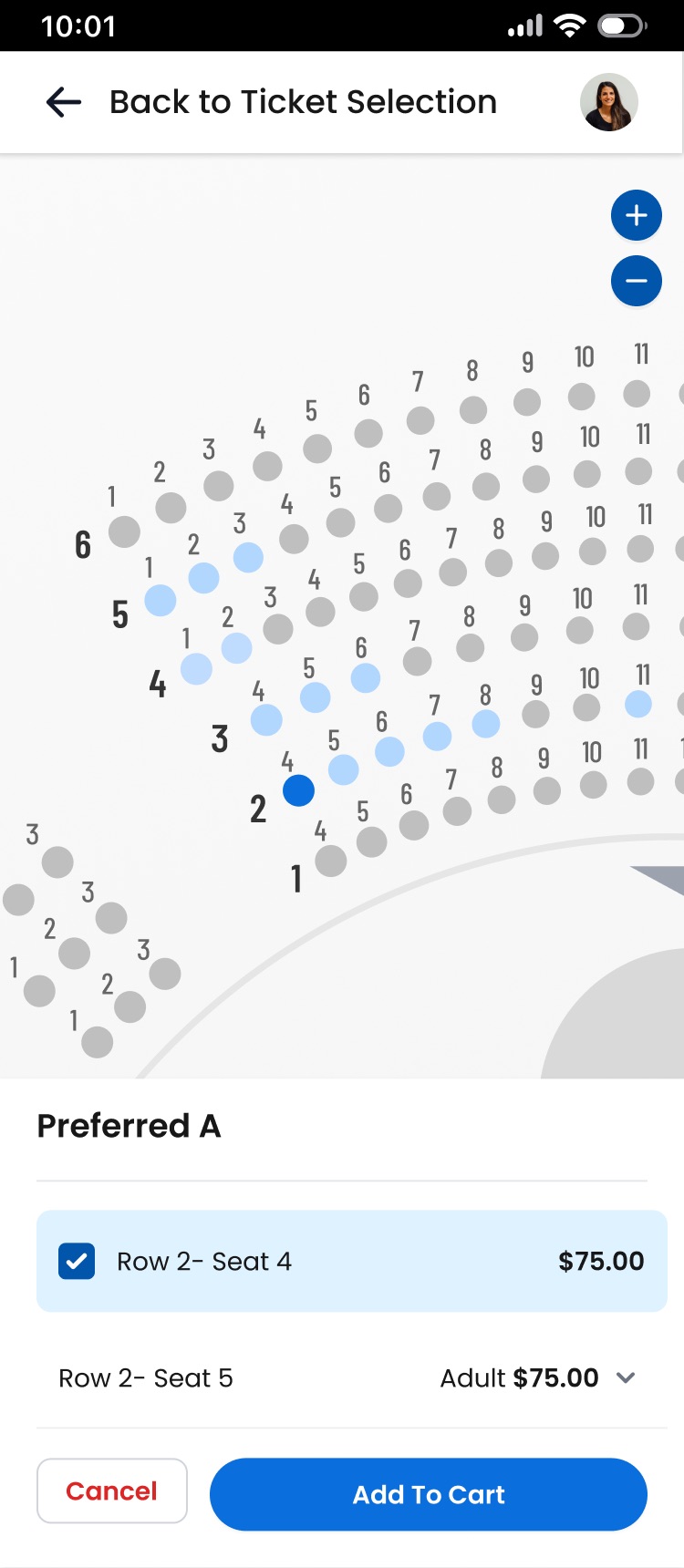
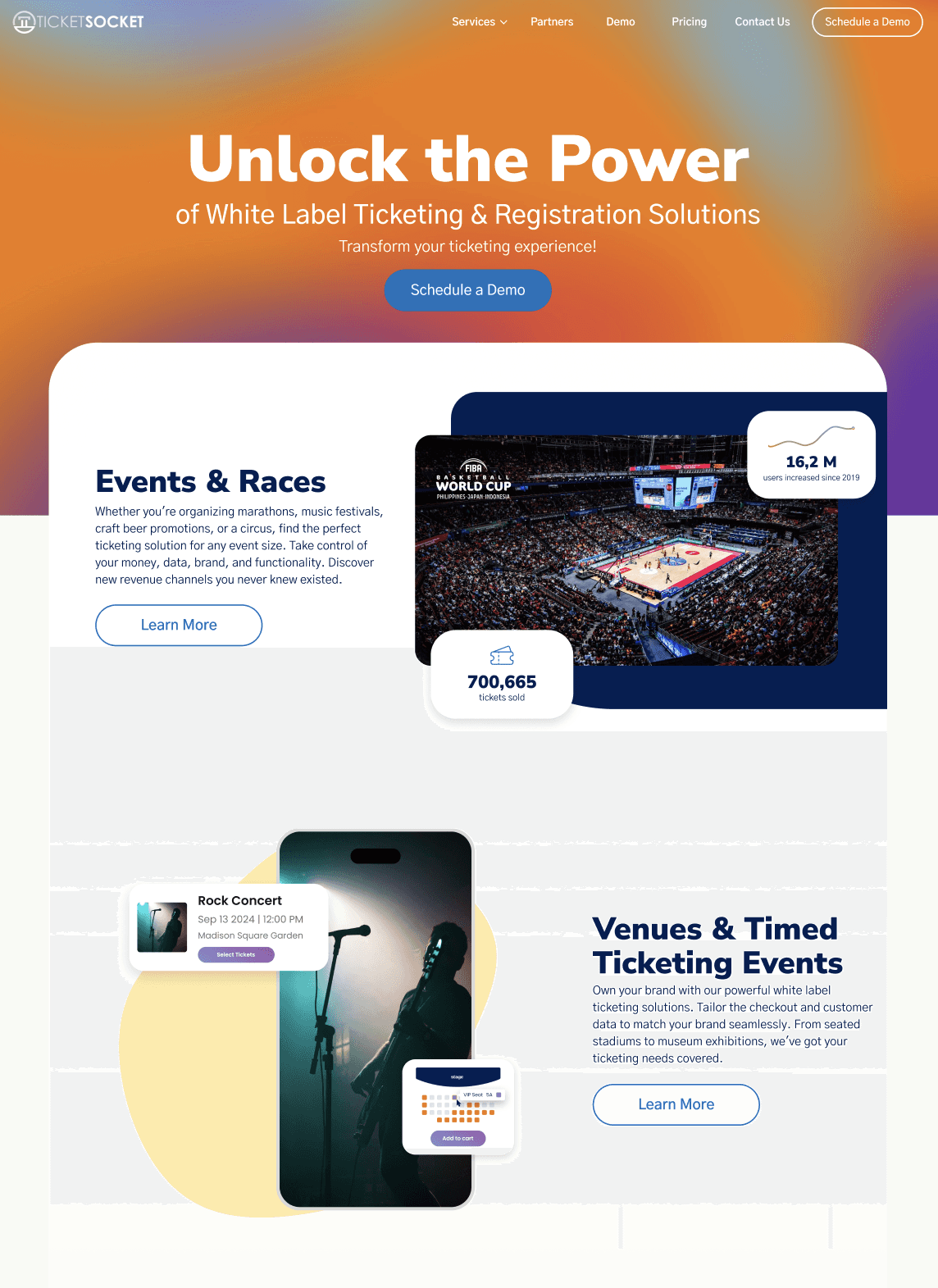
TicketSocket Platinum flows I designed, laid out on a slant: picking a date and time slot, choosing seats on a venue map, an event list, an Apple Wallet pass, and a ticket transfer.

Every TicketSocket client sold events in its own way: a stadium with seats, a light show with time slots, a team with season tickets. One storefront had to work for all of them and still look like each client’s brand.

Built for how each client sells. I designed the flows for seated and recurring seated events, timed ticketing, season tickets, and add-ons, plus the details that break a purchase when they’re wrong: sold-out tickets, pricing rules, and ticket descriptions.

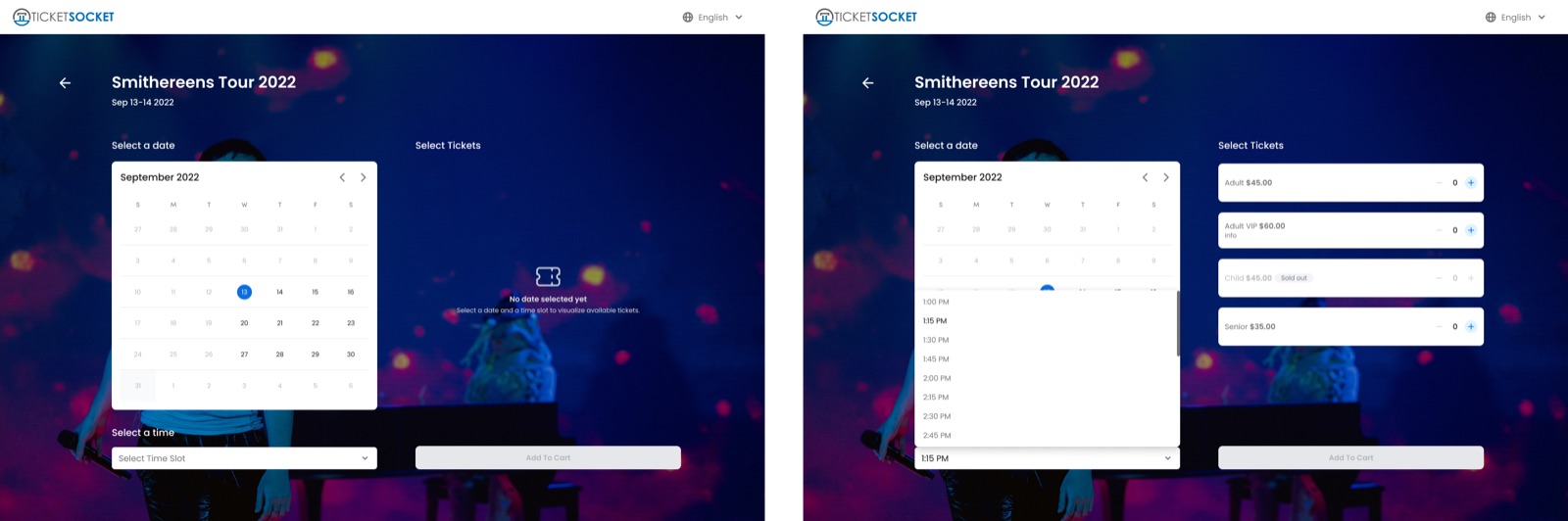
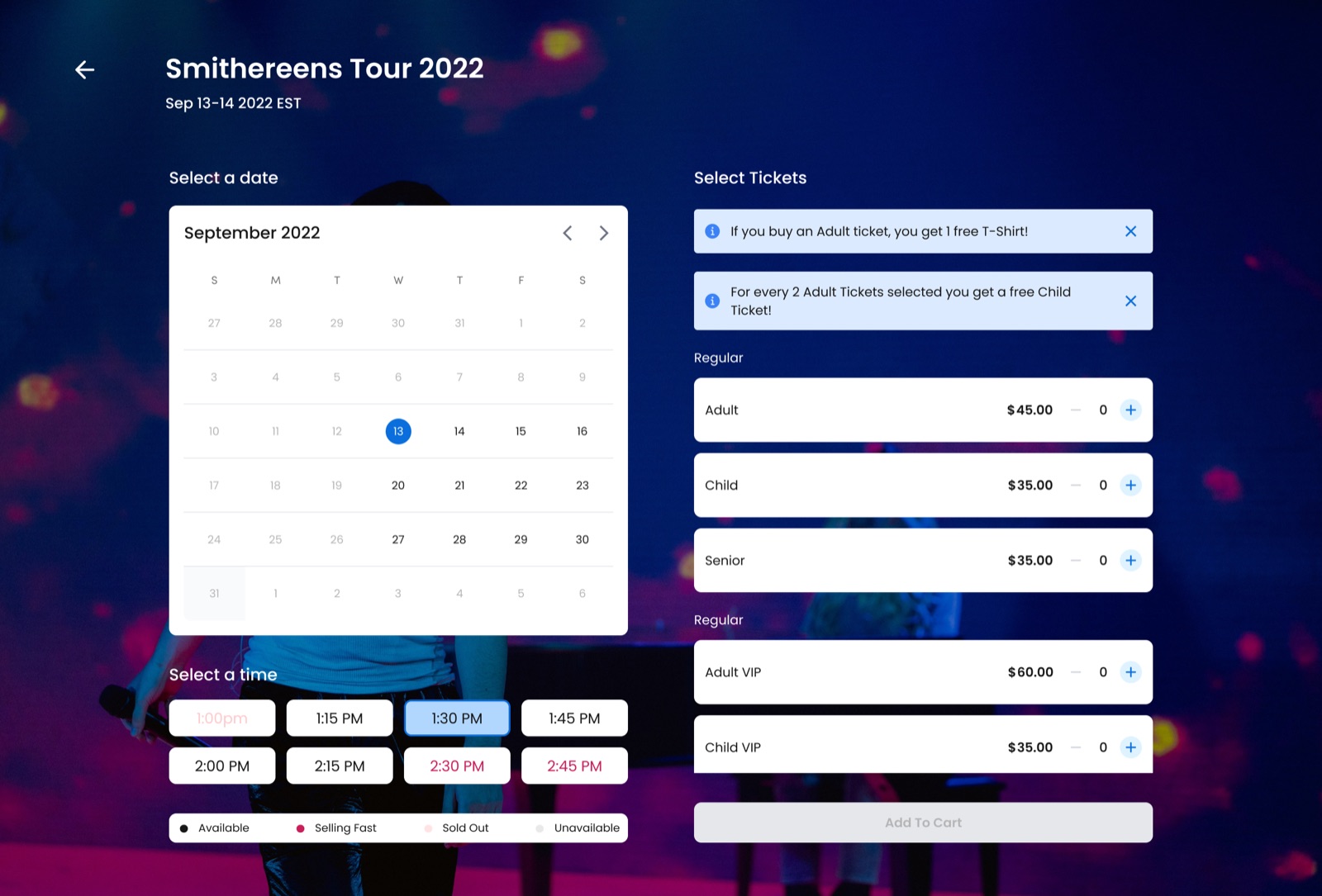
A rule that came from a rejected idea. Our first time-slot picker used arrows. The client pushed back because the arrows confused buyers. Valentina and I landed on a rule: under 10 slots, show them all; over 10, a dropdown. Showing every slot was out, since some sellers run more than 30 a day.

After the purchase, too. In the customer account I designed transfers, refund requests, upsells, and personal information on both sides: the buyer asking and the admin handling it. The transfer flow started in the MVP and grew into the full version.

One system, many brands. The same flows were dressed for clients like National Geographic, Titanic: An Immersive Journey, Funbox, FIBA, and Kōsoku.
The first time-slot picker, with arrows to step through times.
Rejected: arrows confused buyers
The final picker, with every time slot visible as a button.
Shipped: every slot in view, under 10

All 13 flows shipped, on both sides of the purchase, under each client’s brand.

01One client, many business models

TicketSocket sells white-label ticketing: each organizer sells under its own brand. Over the years, every new client brought its own way of selling, and features were added one at a time. The new storefront, Platinum, had to answer that with flows a client could configure instead of rebuild.

Valentina García Aiello led design and validated every decision. I designed the flows on this page, from 2023 to 2025 at Halo Media.

02Seats, once or many times

For seated events I owned the pieces that decide whether a purchase goes right: each ticket’s description, what happens when a ticket sells out or carries an add-on, and pricing rules. Recurring seated events, like a run of shows at the same venue, I designed almost entirely: the date list, the calendar view, and picking seats for each show.

Seat selection on a venue map, with price categories on the right.
Picking seats on the venue map
A recurring event: a tour with every date listed and a buy button for each.
A recurring event, every date in one list
Seat selection on a phone.
The same flow on a phone
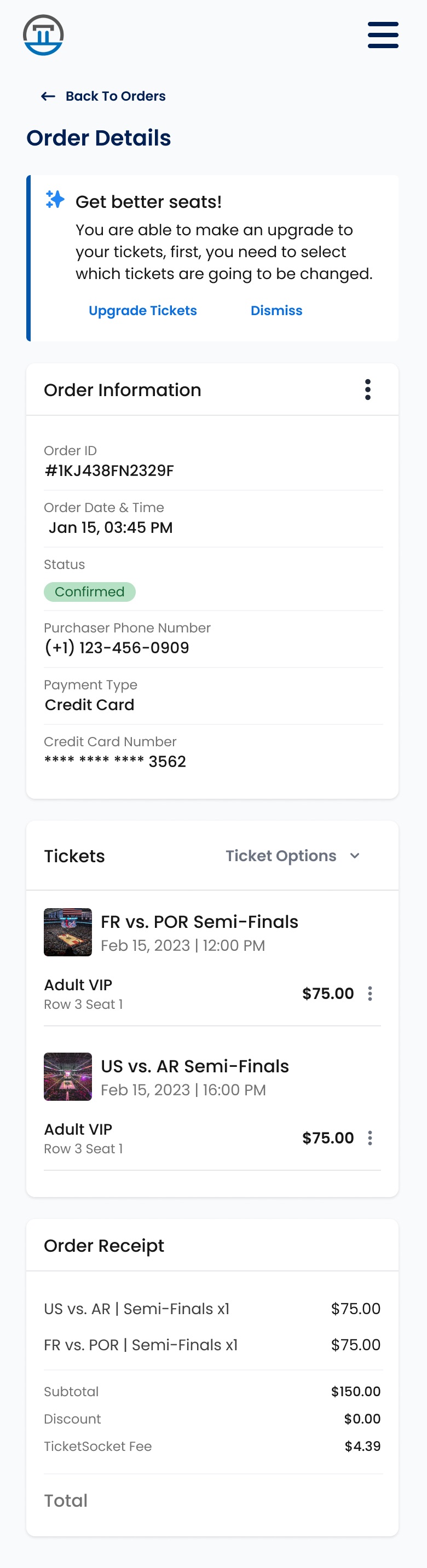
Choosing a better seat from the customer account, on a phone.
An upgrade from the account

03The time-slot rule

For timed events, like immersive exhibits or light shows, the flow runs from date to time slot to tickets to add-ons to checkout. Our first time-slot picker used arrows to step from one time to the next. The client pushed back: the arrows confused buyers.

Valentina and I tried the opposite, showing every slot, and found its limit: some sellers run more than 30 a day, and the page filled up. So the rule came in two parts. Under 10 slots, every one shows as a button; over 10, they move into a dropdown.

The first time-slot picker, with arrows to step through times.
Rejected: arrows
The final picker, with every time slot visible as a button.
Under 10: every slot as a button
The picker for days with more than 10 time slots, with the dropdown closed and open.
Over 10: a dropdown

04Season tickets, add-ons, and the ticket on a phone

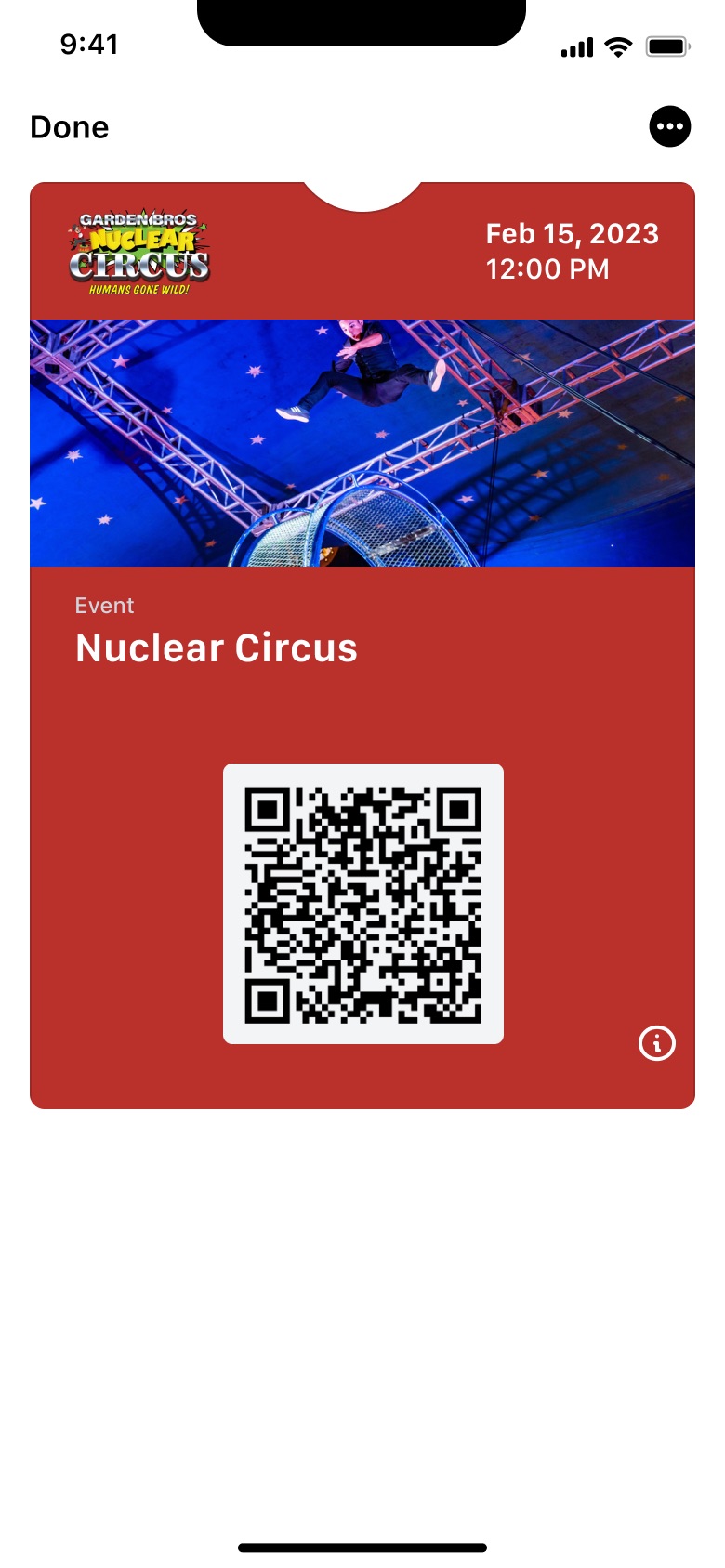
Season tickets came in three shapes: the same tickets for every event, a partial season where each buyer picks their dates, and different tickets for each event. Add-ons, like parking or a T-shirt, could have variations and had to stay clear all the way to checkout. After the purchase, the ticket went to Apple Wallet under each client’s brand.

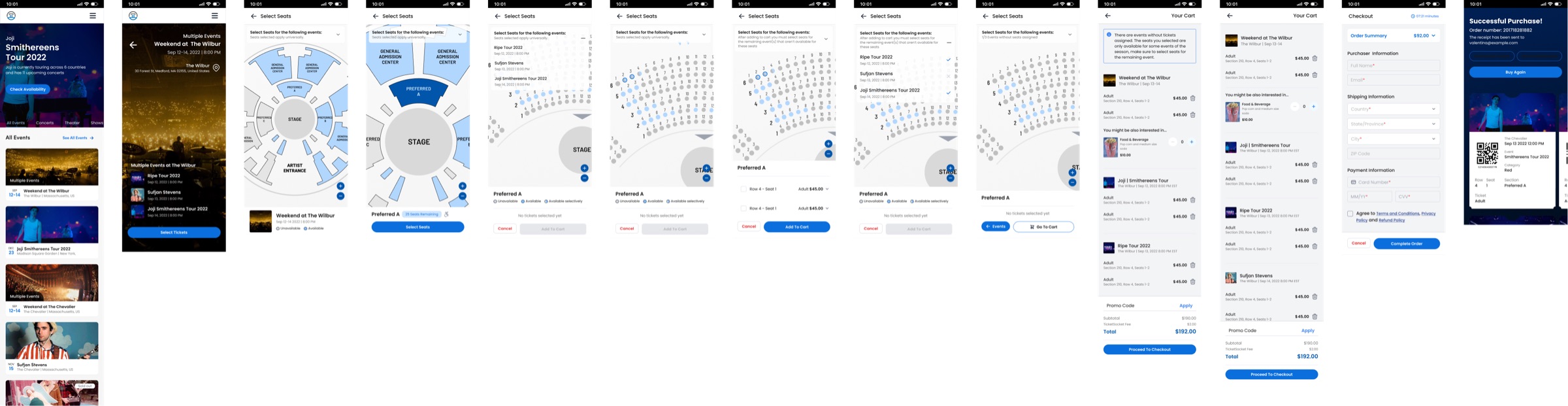
The season ticket flow, screen by screen.
Season tickets, end to end
A cart with a ticket and an add-on with a size variation.
An add-on with variations, in the cart
An Apple Wallet pass in the white-label style.
White label
An Apple Wallet pass branded for a client.
A client’s brand

05After the purchase, on both sides

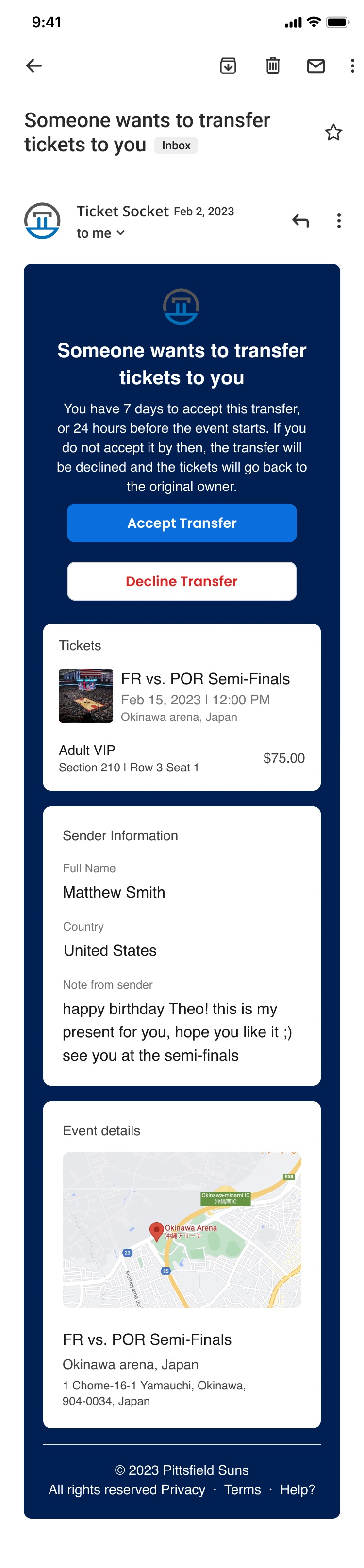
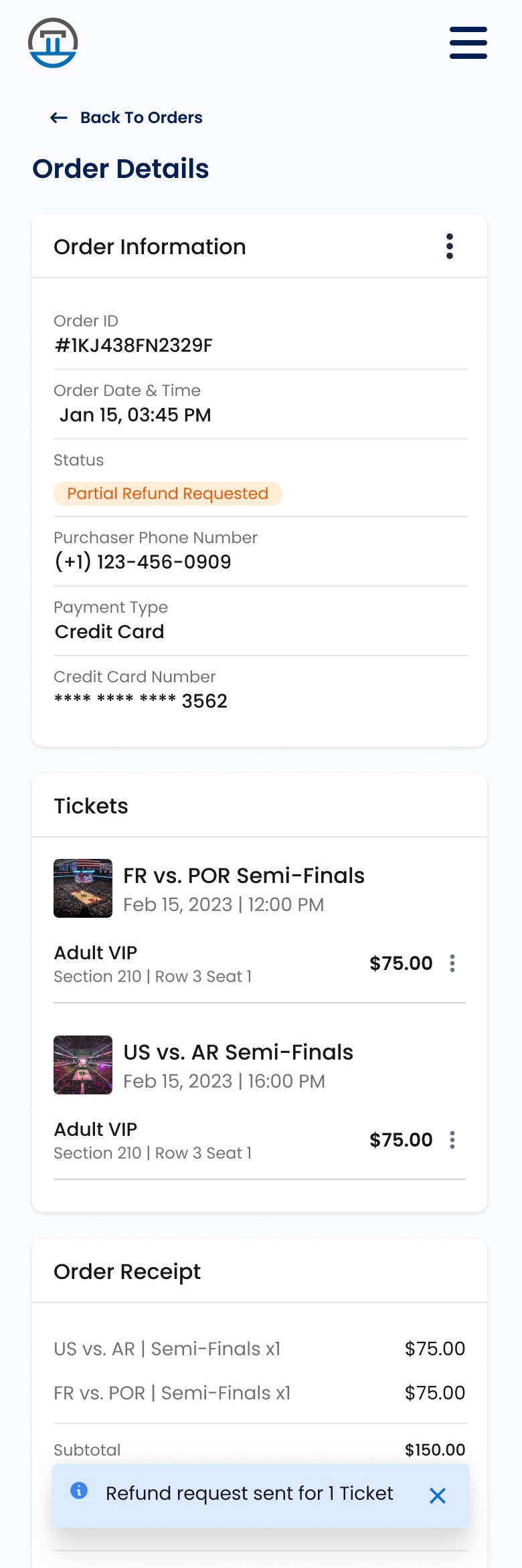
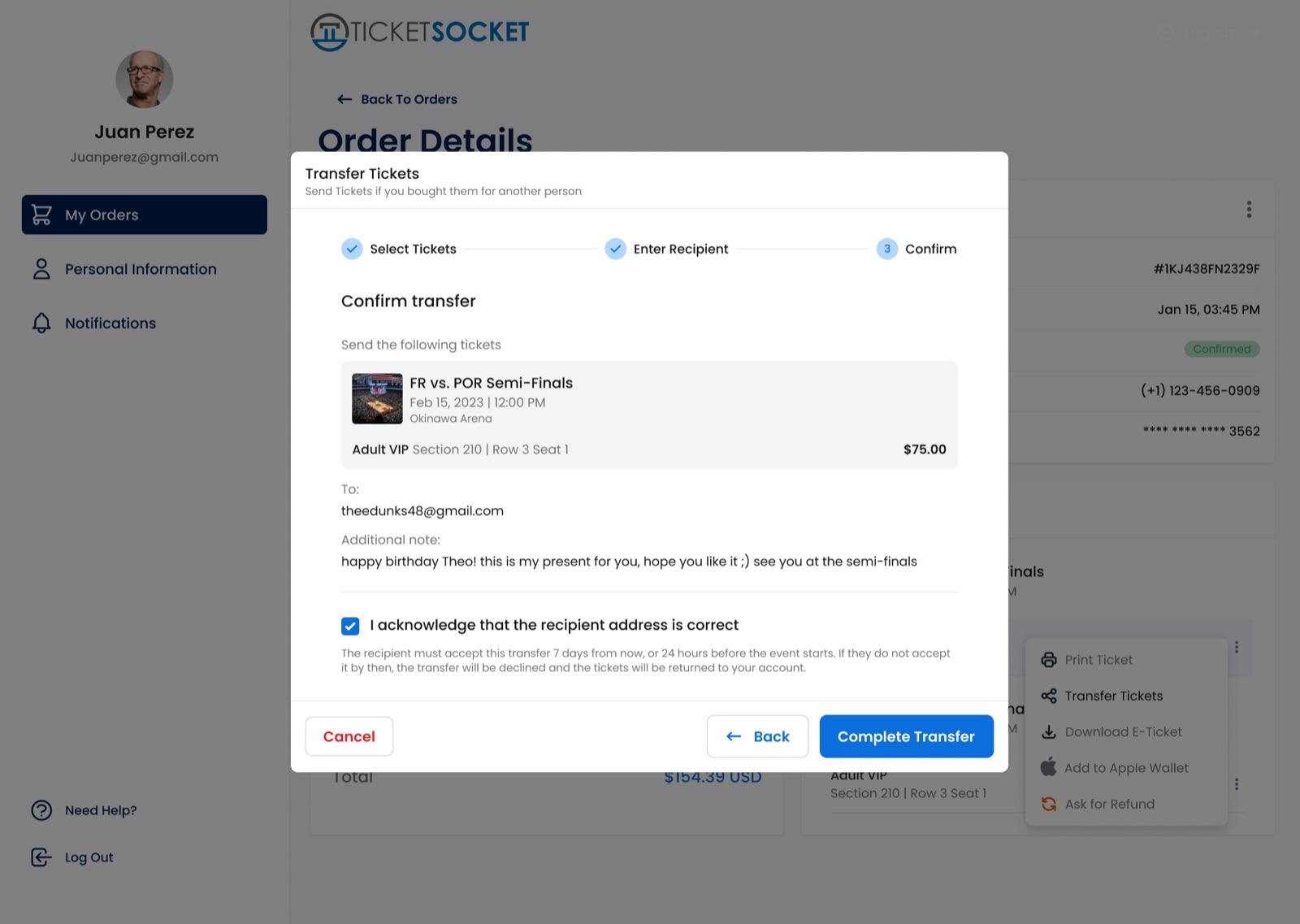
In the customer account I designed ticket transfers, refund requests, upsells, and personal information. The transfer started in the MVP with the minimum, picking a ticket and who gets it, and grew to cover the person receiving it: the email, the sign-in, and the ticket waiting in their account.

Refunds and transfers have two sides. On the other side is whoever runs the event, so I also designed how they show up and get resolved in the admin portal.

Choosing which tickets to transfer, in the customer account.
Transfer: pick the tickets
Confirming a transfer before it is sent.
Transfer: confirm before it goes
The email the receiver gets with the transferred ticket.
The receiver’s email
Order details with a refund request, on a phone.
A refund request
The customer account with an upgrade offer on an order.
An upsell on an order
The admin portal: choosing which tickets to refund on an order.
The same refund, from the admin side

06How we worked

TicketSocket asked for features through our delivery lead. Valentina set the direction and validated; I designed the flows and their states, and we handed them to the developers in Figma. Design and code shared Tailwind, so handoff focused on behavior and states instead of rebuilding components.

Because the products were white label, we often fitted the storefront and the other products to a client’s brand: National Geographic, Titanic: An Immersive Journey, Funbox, FIBA, Kōsoku, the Grand Junction Jackalopes, and more.

07What changed

All 13 flows shipped, on both sides of the purchase, under each client’s brand.

No metrics were shared with me. What I can show is the whole journey: choosing, paying, getting the ticket, passing it on, or asking for your money back.

08What I took from it

I learned to design for the seller as much as the buyer. Every storefront screen has a counterpart in the admin, and a clear rule, like the time-slot one, works for a client with three shows a day and one with thirty.

Buying a ticket is the first step toward something you’ve been waiting for. I want that step to feel that good.

More work